 cc-bro
01
Dispatch from your chat
The manager reads your roster: Codex, pi, agy, Cursor or a tested custom CLI. It picks a model and effort within your allowlist. Different names run in parallel; reuse a name to continue its session.
v0.3.1/Project workers · macOS
The Claude Code chat in your project is the manager. A compact roster shows available models, their inputs and what they do well. Set defaults, hide unused models, then run jobs in parallel, steer them or resume the same session tomorrow.
cc-bro review auth-fix --by agyagy reviews the fix in the writer’s worktree.
01 / Product tour
02 / Workflow
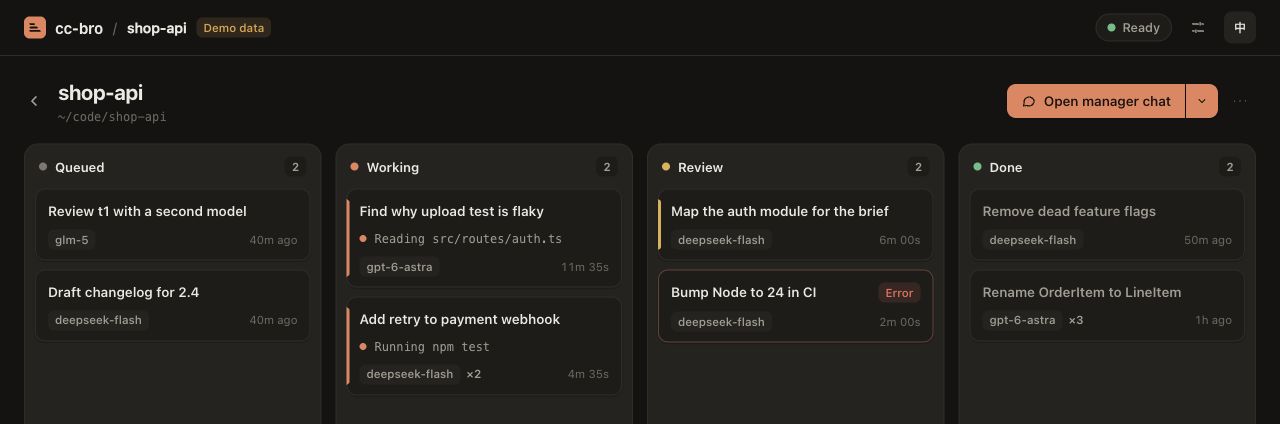
The manager reads your roster: Codex, pi, agy, Cursor or a tested custom CLI. It picks a model and effort within your allowlist. Different names run in parallel; reuse a name to continue its session.
Add --worktree to the first say when a code change needs its own branch. Send another say while it runs. The receipt tells you whether it was injected, queued for the next turn or rejected.
Use review to assign the finished ticket to a different allowed worker ID. The reviewer gets the writer’s reply and changed files. Read the linked review before accepting. You decide what to merge and when to clean up.
03 / Quick start
Start with macOS, Node.js 24+ and Claude Code. Install and sign in to the CLIs you want your manager to use. In your project root, list the workers you permit with --allow and choose one of them as the default.
Read cc-bro roster before dispatch. Set model and effort defaults per bro, hide models, and keep your rules and notes. Query roster --worker ID --full when you need detailed capabilities and limits.
npm install -g cc-bro@0.3.1
cc-bro setup
cc-bro init
cc-bro ui
Back in Claude Code, type /cc-bro to dispatch the first ticket. For Claude’s own work, the manager can call its built-in subagents.